


F1 TV
4.35.56K Reviews
App Specs
- Version
- Varies with Device
- Updated On
- License
- Free
- Downloads
- 10,000,000+
- Developer
- Formula One Digital Media Limited
- Categories
- Sports
- Platform
- Android, iOS
Screenshots
 Analysis by AppCompare
When a Formula 1 race is happening, a small delay or a patchy connection can change the way I follow it: a live moment loses its impact if the picture freezes just as the cars reach a corner. That makes connectivity more than a technical detail in F1 TV. It shapes whether the app feels like a close-up seat at the circuit or simply a handy place to catch up afterward. I find it most compelling when I can give a race my attention and rely on a stable internet connection, while its on-demand side is better suited to fitting F1 around an ordinary day.
Live viewing depends on the moment and the network
Live coverage is the app’s biggest draw, but it is also where connection quality matters most. A race moves quickly, and a buffering pause can leave me wondering what happened while the feed was interrupted. I would not treat mobile streaming as a guaranteed substitute for a dependable connection, especially for a Grand Prix I care about watching from start to finish. If the signal is inconsistent, following timing or waiting to watch a replay may be less frustrating than trying to keep a live stream going.
That trade-off is worth considering before choosing a viewing setup. At home, I would get the stream ready before the start rather than open it at the exact moment the lights go out. Away from home, I would check that the connection is behaving well before settling in for a long session. Those small habits cannot fix a weak network, but they help avoid turning the most exciting part of a race into troubleshooting.
A pocket-sized race weekend has practical limits
On a phone, F1 TV makes it possible to follow Formula 1 when the television is occupied or I am not at home. A realistic use case is checking in during a lunch break, then returning to a replay or highlights later when I have more time. That flexibility suits fans who want to keep up without planning every weekend around a screen. It is less ideal if I am commuting through areas with uneven reception or trying to watch while doing something that needs my full attention.
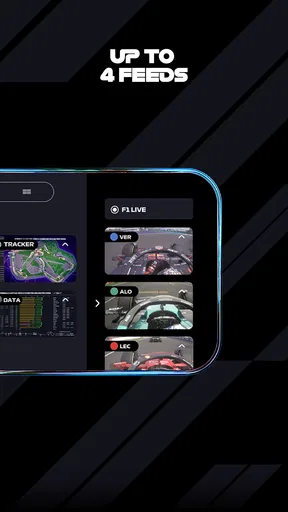
There is also a difference between watching on a small display and following the race on a larger screen. An onboard view can make a driver’s perspective feel immediate, but small text and detailed timing information are easier to appreciate when I can focus on them. I would use a phone for a quick update or a focused stretch of viewing, and choose a larger screen when I want to follow the whole race comfortably. The app’s range of viewpoints is a genuine attraction, but switching views is most useful when the connection and screen both make it easy to keep track.
When a stream falters, choose a calmer way to follow
If live video stutters, I would first decide whether the race itself is the priority or whether I mainly want to know how the field is changing. Live timing can help keep the broad picture in view while a stream recovers, and a replay or highlights can make more sense if the interruption has already spoiled the live experience. That is a useful distinction: a live feed is about sharing the race as it unfolds, while on-demand viewing gives me more control over when and how I catch up.
I also find it sensible to avoid repeatedly jumping between several video views when the connection is already struggling. Each change asks me to pay attention to a different slice of the race, and frequent switching can make a disrupted session feel even more fragmented. Picking one main view, then using timing or a replay to fill in gaps, is a more focused way to follow. The app offers plenty for a dedicated fan, but it cannot make an unreliable connection behave like a stable one.
Worth Reading Before You Choose

Baby Panda World Brings Quick Play to Modern Phones, but Its Game Library Feels Busy

ESPN’s Live Game View Makes Following Close Games Easier

QuizzLand Review: A Good Fit for Short Trivia Breaks, Not Every Player

Basketball Stars: Multiplayer Is Fast, but Can It Recover When Matches Go Wrong?

WEBTOON Turns Phone Updates Into a Better Reading Routine

Link to Windows Runs on Shared Habits, Not Social Feeds
Using mobile data without surprises
Streaming a full race over a mobile connection can be a substantial use of data, so I would think about the viewing plan before pressing play away from Wi-Fi. I avoid assuming that a long stream will be light on data, and I would check my device’s data-use settings if I regularly watch on the go. For a quick visit, a short highlight or a check of timing may be a better fit than leaving live video running in the background.
Notifications and updates can also shape how often I open the app. Tailoring them to a driver or team I actually follow can make the app feel more relevant, while broad alerts may pull me back in when I do not have time to watch. I would keep only the prompts that help me decide whether to tune in. That way, the app supports my race routine instead of turning every update into another interruption.
Created by Formula One Digital Media Limited, this free sports app is aimed squarely at people who want more than a television broadcast. It has a 4.4 average from around 206,000 ratings and has been installed over 10 million times. The Teen age rating is worth noting for families, while in-app purchases range from about $3.49 to $29.99 per item. I would check the available purchase options before building a routine around paid access, since the free starting point does not automatically mean every viewing choice is included.
From race-day screen to a deeper F1 routine
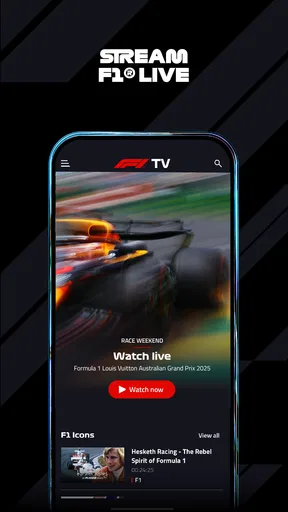
So, what's the deal with F1 TV? Imagine having a backstage pass to every twist and turn, every hairpin bend of the F1 world. That’s exactly what this app delivers. It offers live streaming of all the F1 Grand Prix races, and, trust me, that’s just the tip of the iceberg.
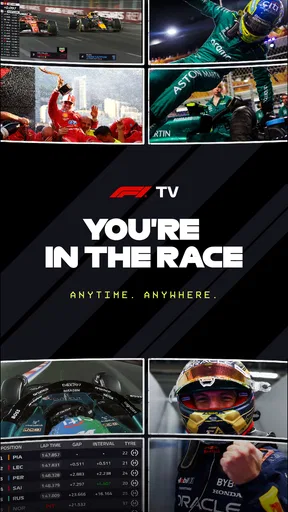
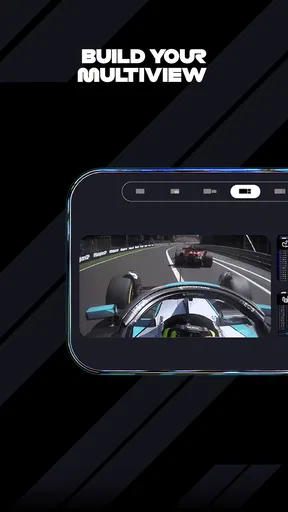
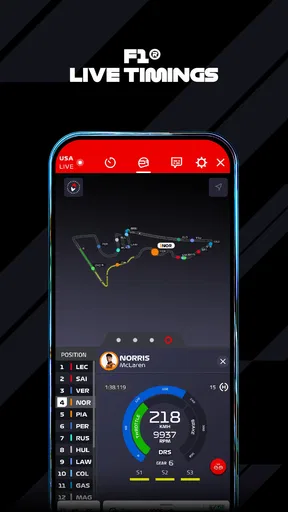
The moment you fire up the app, you’re greeted with a sleek interface that screams speed and sophistication. It’s like stepping into the paddock, with a front-row seat to all the action. The app includes live timing, race highlights, and exclusive driver interviews. You can even switch between different onboard cameras. Ever wanted to see the race from the perspective of your favorite driver? Now you can!
Features that Fuel Your Passion
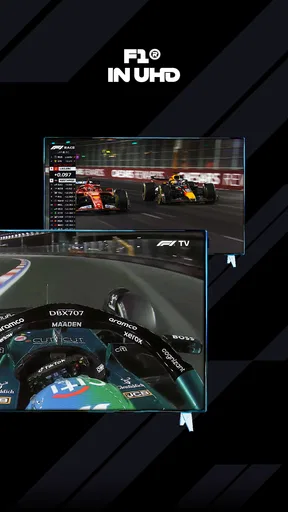
Let’s dive into what makes this app a must-have. First off, the live race coverage is stunning. The video quality is top-notch, and there’s minimal lag, which is crucial when you're following something as fast-paced as F1. You can catch every second of the action without those annoying buffering interruptions.
One of my favorite features has to be the multi-language commentary. Whether you’re a native English speaker or prefer to listen in German, French, or Spanish, F1 TV has got you covered. This makes it super accessible for fans worldwide.
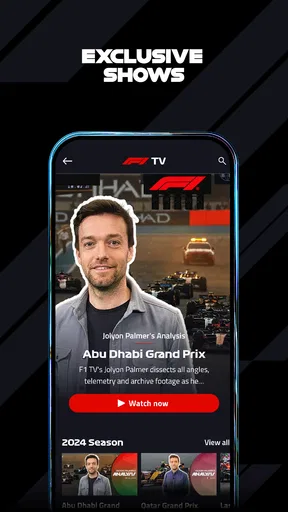
The app doesn’t just stop at live races. It’s packed with on-demand content, including documentaries, replays, and classic races. If you’re a history buff or just love a good story, you’ll find plenty to keep you entertained between races.
Getting Up Close and Personal
Now, let's talk about personalization. F1 TV allows you to customize your experience based on your preferences. Want to follow a specific team or driver closely? You can tailor your notifications and updates to keep you in the loop.
The app also offers detailed insights and analysis. You can dive deep into stats, strategies, and even team radio. It’s like having your own personal analyst breaking down every play. This feature is perfect for those who love to dissect every aspect of the race.
Is It Worth the Pit Stop?
Alright, so we’ve covered the bells and whistles, but what’s the verdict? For any F1 aficionado, F1 TV is a game-changer. The wealth of content and the immersive experience make it worth every penny. Whether you’re tuning in for the live-action or catching up on the latest news and analysis, the app delivers a comprehensive F1 experience right in the palm of your hand.
However, if you’re a casual viewer who only watches the occasional race, it might be overkill. The subscription fee could be a bit steep if you’re not planning on using all the features regularly. But hey, if you live and breathe F1, it's definitely a worthwhile investment.
Choosing it over a regular sports app
Compared with a general sports app, this one is built around a single championship rather than scores and headlines from many sports. That focus is its strength if I want onboard perspectives, race coverage, team radio and deeper context in one place. A broadcaster’s regular sports app may be the more convenient choice if I already watch F1 through that service, or if I mainly want a quick score among updates from other competitions. I would choose this app when following the race itself is the point, not just checking the result.
It is also a different proposition from social media clips. Short clips are convenient for catching a dramatic moment, but they rarely provide the same continuity as watching a race or the context of a replay. On the other hand, someone who only wants a few highlights after each Grand Prix may not need a dedicated F1 app at all. The best fit depends on whether I want a deeper, recurring way to follow the sport or just occasional reminders of what happened.
Who will get the most from it
I would recommend it to fans who enjoy more than the final standings: people who follow a particular driver, compare race strategies, or like revisiting older races between Grand Prix weekends. The combination of live coverage, multiple onboard cameras, timing, interviews and archive-style viewing gives those fans reasons to return even when there is no live session to watch. It can also work well for a household where one person wants the race while another uses the television, as long as the phone screen and connection are comfortable enough.
By contrast, I would suggest skipping it if you rarely watch F1, have limited mobile data, or usually follow races in places where connectivity is unreliable. It may also feel like too much if you only want a simple notification when a race ends. In those situations, a general sports service, a television broadcast, or occasional highlights may be easier and better value. A focused app is useful only when its extra depth matches the way you actually follow the sport.
Make the app fit your race routine
My practical approach would be to decide in advance what I want from a session. If it is a live race, I would get settled on a dependable connection and choose the view I care about most. If I am short on time, I would use highlights or a replay rather than trying to squeeze a full broadcast into a few spare minutes. If I am following a driver closely, I would tune notifications toward that interest and use timing or team radio to add context when I can give it attention.
For a new user, the natural question is whether the app is free and whether every part of it comes with no extra cost. It is free to install, but in-app purchases are available, so I would review the options shown in the app before assuming a particular stream or content choice is included. Another common concern is whether it is useful outside race day: the documentaries, interviews, classic races and replays give it a role between events, especially for fans who enjoy the history and analysis as much as the live result.
People also wonder whether a phone is enough. For checking updates and watching a short segment, it can be; for a full race or detailed timing, I personally prefer a setup where I can concentrate and read the screen comfortably. And if a live feed becomes unreliable, I would switch to timing or return to on-demand viewing rather than repeatedly fighting the stream. Those choices do not eliminate the app’s dependence on connectivity, but they make it easier to get something useful from it in different circumstances.
Final Lap
So, there you have it. F1 TV is your ticket to the heart-pounding world of Formula 1, ensuring you never miss a moment of the action. Whether you're in it for the thrill of the race or the behind-the-scenes drama, this app has something for everyone. So, strap in, start your engines, and get ready for a wild ride!
My verdict is that it is most rewarding when I want to follow Formula 1 closely and can give the coverage a stable connection and proper attention. The live experience, driver-focused views and material to explore afterward make it more substantial than a basic results app, but connectivity and paid options are real parts of the decision. If I only watch occasionally, I would stick with a simpler way to catch the outcome. If I want to spend race weekends inside the details, this is the kind of companion I would keep within reach.
Pros
- High-quality live streaming available.
- Extensive race replays and highlights.
- Exclusive onboard cameras for each driver.
- Detailed telemetry data and stats.
- Ad-free viewing experience.
Cons
- Subscription required for full access.
- Occasional streaming lags reported.
- Limited offline viewing options.
- Geographical restrictions apply.
- No support for older device models.
FAQs for F1 TV
What features does F1 TV offer for motorsport fans?
F1 TV provides a comprehensive experience for motorsport enthusiasts, including live coverage of all Formula 1 races, extensive on-demand content, and access to onboard cameras and team radios. Subscribers can enjoy exclusive documentaries, race replays, and historical F1 footage, making it a must-have for dedicated fans.
Is F1 TV available on multiple devices?
Yes, F1 TV is accessible on a variety of devices. Users can stream content on smartphones, tablets, laptops, and smart TVs. The app is compatible with both Android and iOS platforms, allowing fans to watch their favorite races anytime and anywhere, ensuring flexibility and convenience.
What are the subscription options for F1 TV?
F1 TV offers multiple subscription plans, including F1 TV Pro and F1 TV Access. The Pro version provides live race streaming, while Access offers race replays and highlights. Pricing varies by region, and users can choose monthly or annual subscriptions according to their preference and viewing needs.
Are there any geographical restrictions for F1 TV?
Yes, F1 TV is subject to geographical restrictions due to broadcasting rights. Availability and content may vary depending on your location. It’s important to check the F1 TV website or app for the latest information on regional availability before subscribing to ensure you can access the content you desire.
How user-friendly is the F1 TV app interface?
The F1 TV app is designed with user-friendliness in mind, offering an intuitive interface that allows easy navigation between live events, on-demand content, and exclusive features. The layout is clean and logical, ensuring even new users can find their way around and enjoy a seamless viewing experience.


